
AI Receptionist for Plumbers: Step-by-Step Setup Guide
Key takeaways
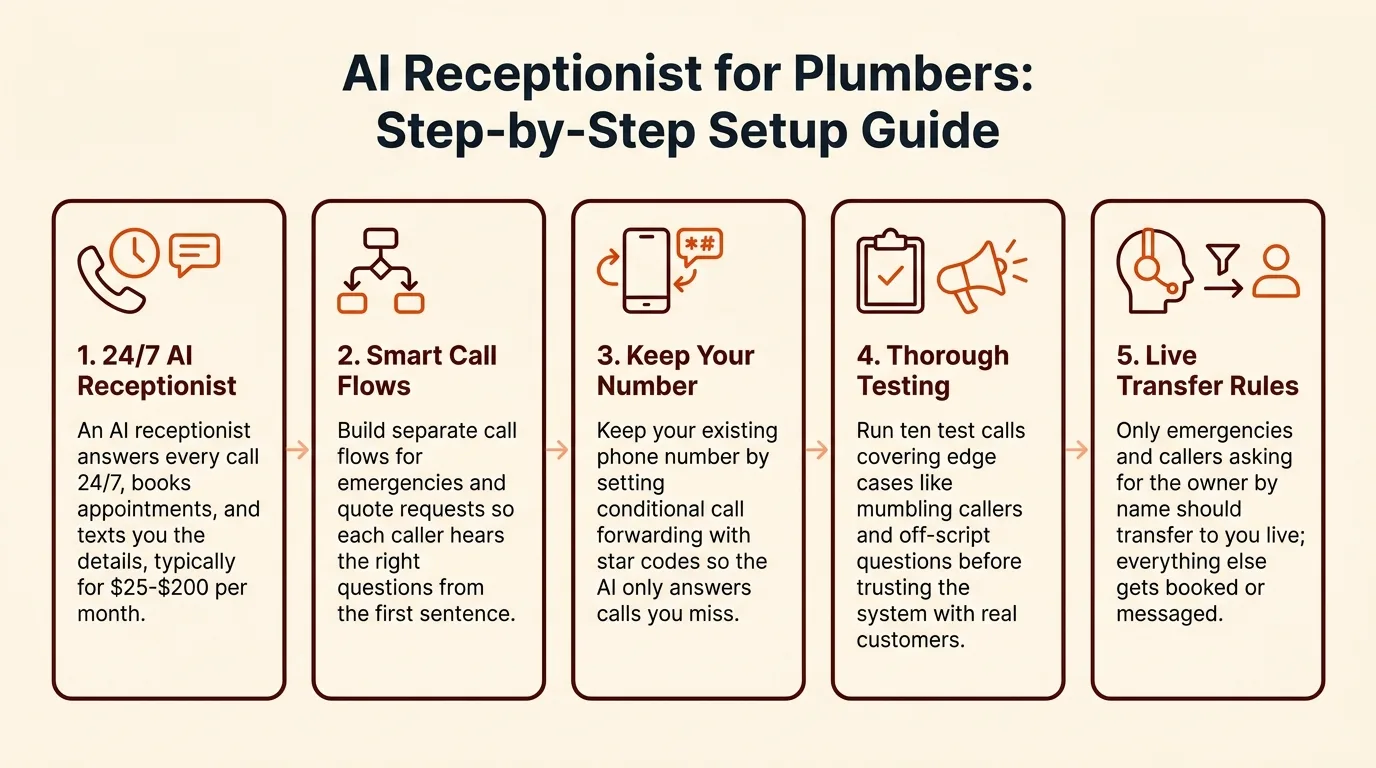
- An AI receptionist answers every call 24/7, books appointments, and texts you the details, typically for $25-$200 per month.
- Build separate call flows for emergencies and quote requests so each caller hears the right questions from the first sentence.
- Keep your existing phone number by setting conditional call forwarding with star codes so the AI only answers calls you miss.
- Run ten test calls covering edge cases like mumbling callers and off-script questions before trusting the system with real customers.
- Only emergencies and callers asking for the owner by name should transfer to you live; everything else gets booked or messaged.
An AI receptionist for plumbers answers every call while you're under a sink, books appointments, and takes messages so voicemail stops eating your revenue. This guide walks you through the whole setup: separate emergency and quote call flows, a word-for-word script, calendar connection, testing, and a go-live checklist.
What does an AI receptionist for plumbers actually do for a solo shop?
An AI receptionist answers every call to your shop number, 24/7, while you're on a job. It answers questions, books appointments, and takes messages, then texts you the details. Tools in this category typically run $25-$200/month (buyer's guide pricing data), which is why owners price-shopping this range end up comparing them.
The math on a missed call while you're under a sink
A homeowner with a burst pipe doesn't leave a voicemail and wait. They call the next plumber on Google. If you miss two emergency calls a week and close one at a few hundred dollars, a $29-$199/month answering service pays for itself in a single booked job. That's the whole pitch: never miss a call, capture leads after hours.
What it handles vs. what it takes a message for
A good setup answers common questions (rates, service area, hours), books routine jobs, and takes a message for anything unusual. Emergency calls get flagged and pushed to you immediately. The same logic applies across trades; SaaSyVoice, for example, builds flows per vertical, the way its real estate answering setup does. Where it falls short: anything requiring judgment about a complex job still needs your callback.
What should an AI receptionist do differently for emergency calls vs. quote requests?
One generic call flow loses jobs in both directions. An emergency caller hears a slow message-taking script and hangs up to dial the next plumber. A quote shopper gets rushed through a triage script built for bursts and never leaves their details. SaaSyVoice lets you build separate branches for each, so the caller hears the right questions from the first sentence (features).
Emergency branch: triage, location, and callback promise
The AI's first job is to ask "Is this an emergency?" up front, then move fast: confirm the service address, the nature of the problem (burst pipe, no heat, gas smell), and whether anyone is in danger. It should state a concrete callback promise, such as the on-call tech calling back within 15 minutes, and send you an immediate alert with the caller's number so you can return the call from the job site.
Quote branch: capture job details and book the estimate
Quote callers are patient. Here the AI should slow down and collect what you need to price the job: the service needed, the property type, how old the system is, and the caller's preferred days for an estimate. Then it books the estimate slot directly on your calendar while the caller is still on the line. That call becomes a scheduled appointment instead of a note you never get to.
How do you write a call script an AI receptionist can follow for a plumbing business?
Write the script the way you'd answer the phone yourself: identify the business, ask what the caller needs, then branch. The AI follows your words literally, so vague instructions like "handle emergencies appropriately" produce vague calls. Spell out the questions, the order, and what to do at each fork.
Sample script: emergency call flow
- "Thanks for calling [Business Name], this is the answering service. Is this an emergency?"
- If yes: "Tell me what's happening with the water or fixture." Capture: address, whether water is actively flowing, main shutoff status.
- "Our emergency rate is $[X] for the first hour. Can I have your name and the address?"
- Text the owner immediately with a summary, then say: "The technician will call you within 15 minutes."
- If no: "Let me take a message and get you a callback," then route to the quote flow.
Sample script: quote/estimate call flow
- "What kind of work do you need done — repair, replacement, or new installation?"
- Capture: name, address, description, how they found you, preferred appointment window.
- Offer two calendar slots if the job fits standard pricing; otherwise promise an estimate call within one business day.
- Confirm by reading the details back before hanging up.
Words to avoid in the script
Skip jargon like "ticket," "escalate," or "queue" — callers hear robots. Avoid asking more than three questions before offering value; long intake scripts cause hang-ups. Never promise arrival times you can't keep, and never let the AI quote prices you haven't written into the script. SaaSyVoice publishes its tiers ($29-$199/mo, per saasyvoice.ai/pricing) so you can test scripts on a trial without a per-minute surprise; competitors like Goodcall structure plans differently, so check their pricing pages before committing your script to one vendor.
What criteria should plumbers use to compare AI receptionist vendors?
Pricing structure: flat rate vs. per-minute surprises
A per-minute bill turns a chatty caller into a penalty, so favor flat monthly tiers. SaaSyVoice runs $29-$199/month flat, which covers after-hours calls you'd otherwise miss. Ask any vendor what a 6-minute emergency call actually costs before you sign up.
Human transfer and after-hours behavior
Two questions matter most: can it warm transfer a burst pipe to your cell, and does it take a clean message with callback number when you're unreachable? Goodcall, Smith.ai, and Ruby Receptionists all handle transfer differently, so test it with your own phone before committing. Forwarding your existing line takes minutes with our call-forwarding setup guide, so you keep your number everywhere.
How SaaSyVoice scores on its own checklist
| Criterion | SaaSyVoice | Honest weakness |
|---|---|---|
| Flat pricing | $29-$199/mo, no per-minute fees | Top tier is pricier than some bare-bones rivals |
| 24/7 answering | Yes, all tiers | No live human answering at any tier |
| Warm transfer | Yes, to your cell | Fails if you're on a job and don't pick up |
| Trade-specific scripts | Plumbing/HVAC/electrical templates | Less customizable than a fully scripted service |
Where we fall short: if a caller needs judgment beyond the script, we take a message rather than reason it out like a trained human receptionist would.
How do you connect an AI receptionist to your booking calendar and keep your number?
Call forwarding codes and keeping your existing number
You keep your number. Your carrier forwards calls to the receptionist's number using conditional codes: 72# to forward all calls on many US landlines, or GSM codes like **61*number# (no answer), **62*number# (unreachable), and **67*number# (busy) on mobile. Set no-answer and busy forwarding so you get the call first on the job site, and the AI only picks up what you miss. The FCC explains porting rules if you ever want to move the number itself (https://www.fcc.gov).
Calendar booking and lead capture handoff
Connect the calendar you already use, then set rules: emergency calls get flagged and texted to you immediately, quote calls get a slot booked from your real availability. The AI should log every caller's name, number, and request even when no booking happens, so you can call back between jobs. SaaSyVoice runs this setup on its plumbing answering service, with tiers from $29 to $199 a month and a free trial with no credit card. Test one forwarded call before relying on it.

How do you test an AI receptionist before real customers call it?
Ten test calls that cover the edge cases
Call your own number ten times before you trust it with customers. Cover the predictable ones: a burst pipe at 2am, a "how much for a water heater swap" quote call, and a caller who just wants to leave a message. Then hit the edge cases: a caller who mumbles, one who changes topic mid-sentence, one who asks something not in your script, a wrong number, and someone who says "let me talk to a real person."
After each call, read the transcript and the summary it sends you. If the AI booked a job for Thursday when the caller said Saturday, you'll only catch it here.
What to fix before go-live
Fix anything that failed twice, not once. Most first runs need the script tightened: shorter answers, one question at a time, and clearer wording for your service area and after-hours rates. Re-run only the failed scenarios until each passes, then set the number live.
What does a realistic go-live checklist look like for a plumbing shop?
Launch day
Forward your business number to the AI before your first job, not after. On most carriers you enable conditional call forwarding with star codes so unanswered and after-hours calls route to your receptionist while you stay reachable directly; the GSM codes are standardized in 3GPP TS 22.030, which defines call forwarding supplementary services. Verify with a test call from your cell: let it ring out, confirm the AI answers, and confirm a direct call still reaches you.
Then run three live checks: an emergency call routes as urgent, a quote call books a slot, and a spam call gets dismissed without taking a message.
First-week review routine
Listen to every transcript daily for five minutes. Flag missed lead capture, wrong calendar bookings, and any call the AI should have warm-transferred to you. Fix the script wording the same day. By Friday, check your missed-call count against the week before go-live.
What should you do when the AI can't handle a call and needs to transfer to a human?
Setting transfer rules that don't ping your phone all day
Only two call types should reach you live: emergencies and callers who ask for the owner by name. Everything else gets booked, messaged, or taken down and sent as a text summary. Set a keyword trigger (flood, gas, no heat, sparking) plus a caller override like "this is an emergency" so the AI errs toward transferring on real emergencies, not on price shoppers. Review the transfer log weekly and tighten triggers that fired on junk calls.
Fallback when you're unreachable
If you're on a ladder or mid-job, the AI should try you once, then take a detailed message, text it to you, and tell the caller you'll call back within a set window. Never let a caller hit a busy tone or dead air; a message plus a promised callback window beats voicemail every time. SaaSyVoice handles this by default, and most tools in the $25-$200 range offer some version of it, so make it a test case before you go live.
FAQ
How much does an AI receptionist cost for a small plumbing business?
Most tools in this category run $25-$200 per month. SaaSyVoice's tiers are $29-$199/month flat with no per-minute fees. Before signing with any vendor, ask what a 6-minute emergency call actually costs, since per-minute billing turns a chatty caller into a penalty on your invoice.
Will customers know they're talking to an AI instead of a person?
Possibly, and it matters less than you'd think. What callers care about is reaching someone at 2am with a burst pipe. Keep the script natural, avoid robotic jargon like "ticket" or "escalate," and answer quickly. A caller who gets booked in ninety seconds forgives a synthetic voice.
Can an AI receptionist book appointments directly into my calendar?
Yes, if you connect the calendar you already use. Quote calls get an estimate slot booked from your real availability while the caller is still on the line. Emergency calls get flagged and texted to you instead. Every caller's name, number, and request should be logged even when no booking happens.
Do I need a new phone number, or can I keep mine?
Keep yours. Your carrier forwards calls to the receptionist using star codes: conditional forwarding on no-answer and busy means you get the call first on the job site, and the AI only picks up what you miss. Setting it up takes minutes, and FCC porting rules let you move the number later if needed.
Is an AI receptionist worth it if I only get 5-10 calls a day?
Run the math on missed calls. If two emergency calls a week go to voicemail and one homeowner books the next plumber on Google instead, that's a few hundred dollars lost. One booked job covers a $29-$199/month service, so even low call volume justifies it if any calls arrive while you're working.